
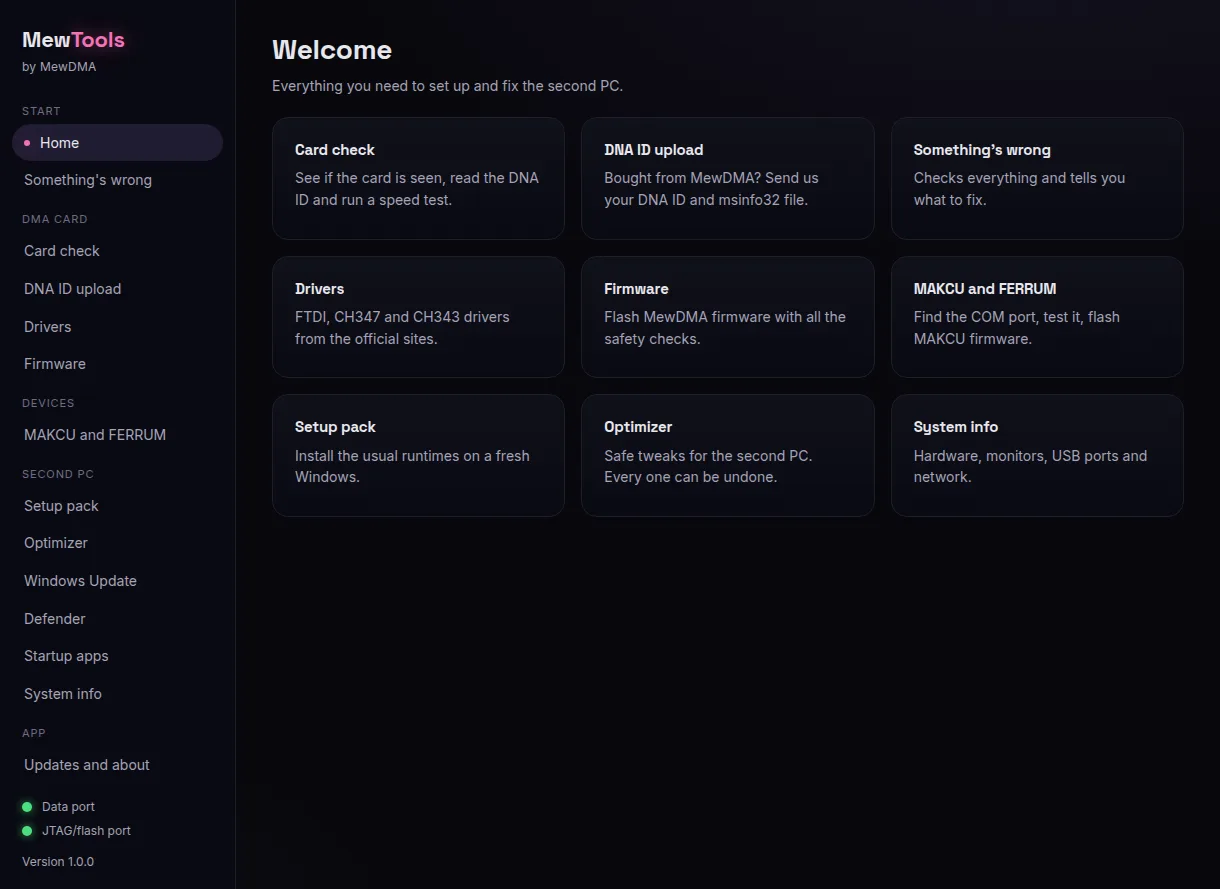
What it does
Card check
Sees the card's data port and its JTAG/flash port, and tells you which chip your card has.
DNA ID
Gets your card's DNA ID so we can make firmware locked to your card.
Speed test
Tests the link between the card and your second PC, and tells you if it's on a USB 2 port or a hub.
Firmware flasher
Flashes 75T and 100T cards. It checks the file is made for your card's chip before it starts, and checks the flash after.
MAKCU and FERRUM
Finds the device, tests that the cursor moves, helps when the COM port is 10 or higher, and flashes MAKCU firmware.
Drivers
Installs the FTDI, CH347 and CH343 drivers from the makers' own sites, and checks each file before it runs.
Second PC optimizer
Turns off things like sleep and USB power saving, which can make the card drop. It makes a restore point before any change.
How it works
Your main PC stays in the BIOS
While you get your DNA ID or flash, keep your main PC in the BIOS so your card has power.
Flashing checks the chip first
Checks that the firmware file matches your card’s chip and refuses to flash it if they do not match.
Something's Wrong does the digging
One click tells you what's off and how to fix it, and gives you a summary to paste in your ticket.
Every change can be undone
The optimizer makes a restore point before changing anything, and you can undo each change.
Set it up
Download and open MewTools
Download the latest version from GitHub and run the installer on your second PC. If Windows says Windows protected your PC, press More info, then Run anyway, because the app isn't code signed yet.
Plug in your card
Plug the JTAG port and the data port into rear USB 3 ports on your second PC. A card with one cable, like the GODLIKE 100T, goes into the JTAG port first and moves to the data port after the flash.
Install the drivers
Open Drivers and press Install next to each red dot. A green dot means the driver is in.
Check your card and get your DNA ID
Open Card Check, press Read card, then Copy next to your DNA ID. Send it with your msinfo32 report from your order page.
Flash your firmware
When your firmware arrives, open Firmware, pick the .bin file and press Flash. MewTools checks the file before it writes anything. Then shut your main PC down fully and turn it back on.
Run the speed test
In Card Check, leave the test on Quick check and press Run test. You want GOOD or GREAT on a USB 3 port.
What you need
A second PC with Windows
Only install it on your second PC, the one your card's USB cables go into.
A 75T or 100T card
Any 75T or 100T works, and you don't need an order with us to use it.
Rear USB 3 ports
Your card's cables go into rear USB 3 ports on your second PC, and MewTools tells you if it's on a USB 2 port or a hub.
Admin rights
MewTools asks for admin when it opens, because the drivers and the optimizer need it.
Error codes
Every problem the app finds has a code like MT-101 that links directly to its fix, and the help works for any DMA card and firmware, not just ours.
Questions
Is it free?
Yes, you download it from the latest release on GitHub.
Windows says Windows protected your PC.
Press More info, then Run anyway, because the app isn't code signed yet. For any other block, go to MewTools blocked by Windows.
How do I get my DNA ID?
Open Card Check, press Read card, then Copy next to your DNA ID, with your main PC on in the BIOS so your card has power. Your DNA ID and msinfo32 report shows each one and where it goes.
What's a code like MT-108?
Each problem has a code such as MT-108. Click the code in MewTools to open its fix, or find it in the error-code guides above.
Still stuck?
In the app
Open Something's Wrong and press Check everything. It looks at your card, drivers, ports, power, network and monitors, then tells you what to fix.
In a Discord ticket
Press Copy summary and paste it in your ticket in our Discord, so we can see what the app found.
Open a ticket →Get MewTools
Free for Windows, this opens the latest release on GitHub.
If MewTools helped you, a star on GitHub really helps us out.