
If your ESP wobbles through a fuser you bought second hand, a fake fuser is the first thing we'd look at. Cards get copied too, and some listings sell a smaller chip than they say, so check what you have before you spend money on firmware.
Fake DICHEN fusers
DICHEN fusers get faked, and the fakes mostly turn up second hand. Our team puts most of the wobbly ESP people report down to one of these fake units. How to tell a fake from a real one by looking at it is TBD, so if you bought yours second hand and the overlay wobbles, the fuser is the first thing to swap.
Rule out the setup first, since both computers should send the same resolution and the picture is smoothest when the refresh rate matches too. Set both computers the same shows how, and Tearing or artifacts has the fixes for broken lines.
The fuser we'd pick
Our pick is the GODLIKE 10th Gen Fuser (HDMI). It runs 1080p at 240Hz, 1440p at 144Hz and 4K at 60Hz, and the ones we sell come with three months of warranty. If your monitor needs more than that, Which one goes through the other two.
Clone and relabeled cards
Cheap clone DMA cards are out there, and a listing can say 75T or 100T on a card with a smaller chip. For our firmware the chip is what counts, because every build needs a 75T or a 100T and a 35T runs none of them. Our GODLIKE 100T comes to us directly from GODLIKE, with no clones.
Check a card's chip with MewTools
MewTools reads the chip size off the chip itself through the JTAG/flash port, so a sticker or a listing can't change what it shows. Do this before you buy firmware for a card from somewhere else.
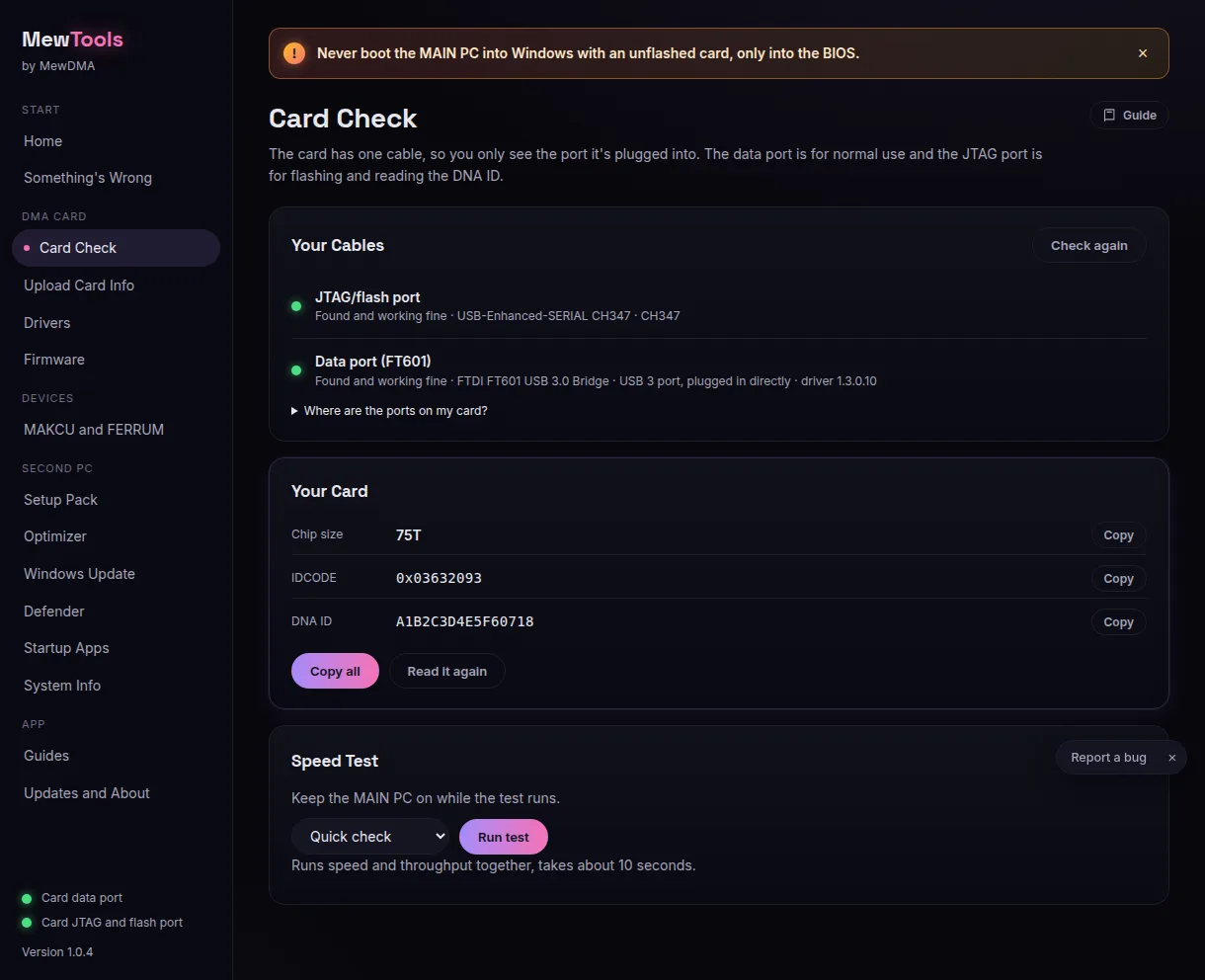
If the listing and MewTools disagree, trust MewTools. If Read card fails or the app doesn't know the chip, MewTools card errors has the fix, and Can you use our firmware on a DMA card you already own? has the rest.
You don't need an account, this tells us what to write more of.