
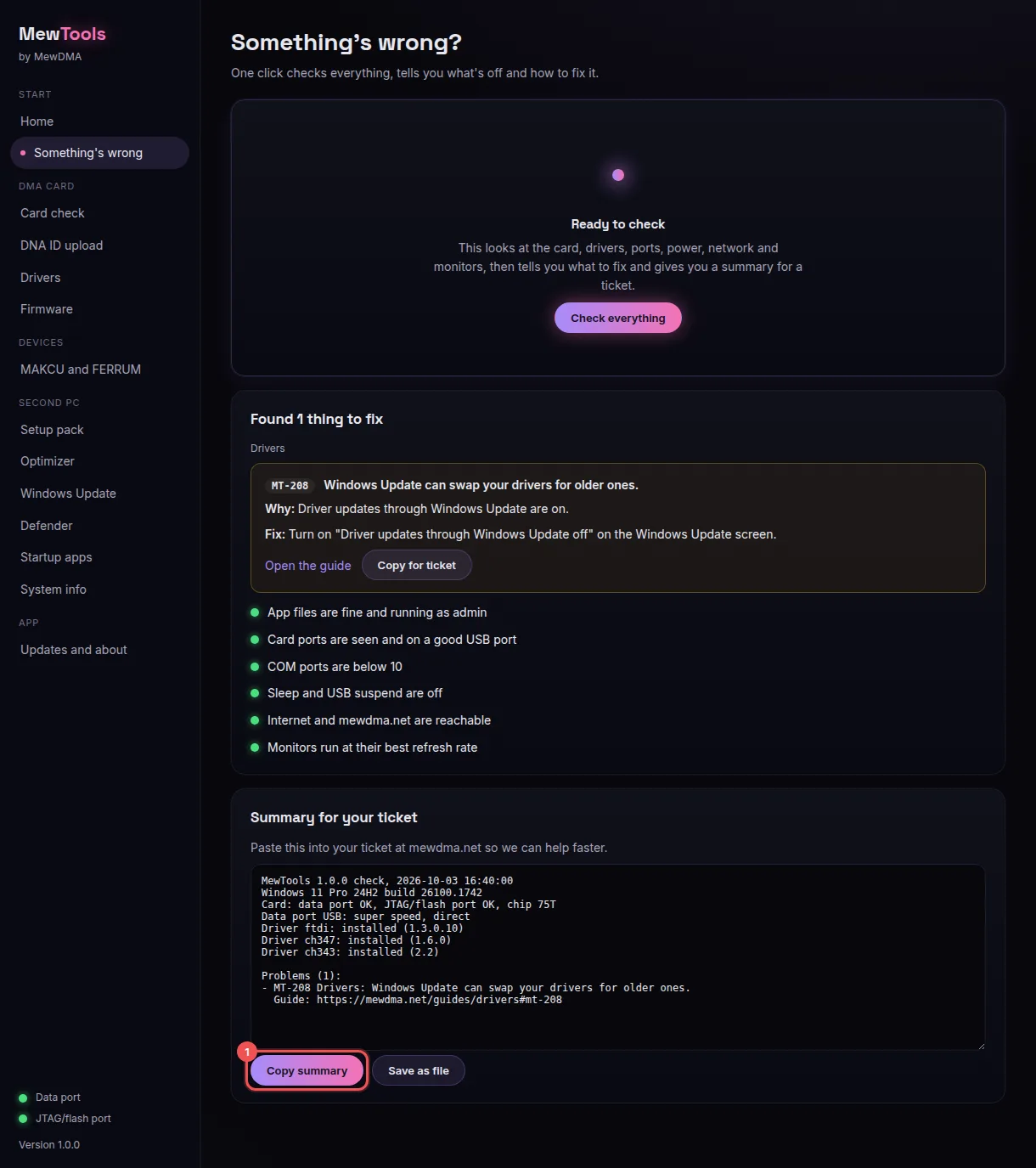
When something isn't working, send us the report from MewTools' Something's wrong screen. It checks your whole second PC in a few seconds and gives you a summary to paste in your ticket. It's the fastest way for us to help, because we see exactly what MewTools saw.
Make the report
Save it to a folder saves the same summary as a text file, if that's easier.
Try the fix first
Every problem it finds has a code like MT-208, what's wrong and how to fix it. Read the guide takes you to that code's fix on our site. A lot of them are sorted in one click, like a switch or a driver install, so try that before you open a ticket. Copy for ticket copies just that one problem.
Send it
Open your ticket in our Discord (how to open one) and paste the summary with Ctrl+V. Add a line about what you were doing when it went wrong. Haven't ordered yet? Post it on the support forum instead.
What's in it
It's plain text, so you can read it before you send it, and no personal files go in it.
- Your MewTools and Windows versions
- The card's data port and JTAG/flash port, and its chip
- Which USB port the data port is on, and how fast it runs
- Your FTDI, CH347 and CH343 driver versions
- Power plan, sleep and USB power saving
- COM ports, your internet and your monitors' refresh rate
- Every problem it found, with a link to its fix
Every MewTools code and its fix is listed on the error code pages.
You don't need an account, this tells us what to write more of.