
You do this on your second PC, in the Ferrum Utility. Nothing goes on your main PC.
Don't roll back unless we ask you to. FERRUM's developer strongly recommends staying on the latest version, because it has the newest security and humanization fixes. If the latest version gives you trouble, open a ticket and we'll pass it on so it gets fixed.
Roll back
- Open the Misc tab. The update row is at the bottom.
- Click the refresh button or the version list so it loads every version, then open the list.
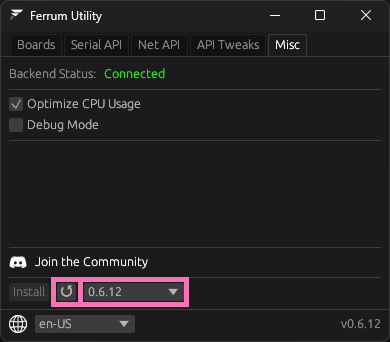
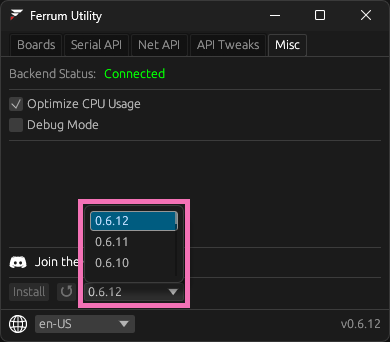
- Pick the version we told you to. If Install is greyed out, you're already on it.
- Click Install.
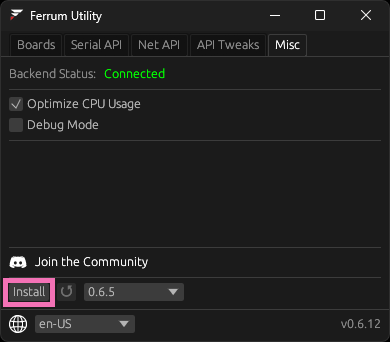
After it's done
If that version has different firmware, the Utility puts it on every FERRUM plugged into the second PC. A board that was unplugged keeps what it had, so plug it in and tell us in your ticket. We'll walk you through updating it by hand.
To go back to the newest version later, follow Updating FERRUM.
Did this help?
You don't need an account, this tells us what to write more of.