
Your PC can freeze or stutter with the card in, lose your firmware, or keep giving you driver problems. The cause is usually your motherboard, your BIOS settings, how your board shares its PCIe lanes, or your Windows install. Go through these in order, because the last ones cost money and the first ones don't.
If your card isn't showing at all, start with DMA card not working instead.
Use stock Windows
Custom or debloated Windows builds strip out drivers and system parts your card needs, so put a clean, official Windows on your main PC. Windows 11 Pro 22H2 is what we like best, but other stock versions can work too.
After that, install your motherboard's chipset drivers from its maker's site. Reinstall Windows has the steps.
Update your BIOS
Check your motherboard maker's website for a newer BIOS, and update it by following their own steps exactly. Use the BIOS for your exact board and revision, and never turn your PC off or unplug it while it updates.
Afterwards your settings go back to default, so set them again with BIOS settings and test again.
Turn off your Wi-Fi and Bluetooth
On a lot of boards, the Wi-Fi and Bluetooth chip shares PCIe resources with the slots, and that can fight with your card. Turn off the onboard Wi-Fi and Bluetooth in your BIOS, or take out a separate Wi-Fi card if you have one, then restart and test.
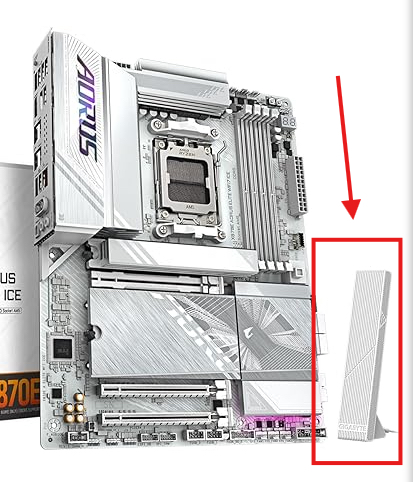
If the freezing or stuttering stops, that was it. Try this before you even think about a new motherboard.
Check your motherboard
Some boards don't get along with this kind of hardware.
- B450 is an older platform and often needs extra troubleshooting.
- B550 can work fine, but some setups need more testing to get there.
- Newer boards with more than one PCIe slot work best.
Find your motherboard and CPU shows how to see which board you have, and Best motherboards for DMA lists good ones.
We won't strip features out of your firmware to make it lighter, because those layers are what keep it working and safe.
A new motherboard, as the last step
If you tried everything above and it still freezes, stutters, loses the firmware or has driver problems, your motherboard might be the problem. A different board may fix it, but no hardware swap is guaranteed. Before you buy anything, open a ticket in our Discord with your motherboard model, BIOS version, Windows version and what's happening, and we'll check it with you first.
You don't need an account, this tells us what to write more of.